Swag Customizer
Transforming a manual design bottleneck into an automated, self-serve branding engine.
Long Island, NY
Corporate Merch
Corporate HR
UX Research
Information Architecture
Product Design
Challenge: The "Designer Lag"
At Stadium, launching a branded merch store for employees was a manual service. Customers uploaded logos, and a human designer would manually create product mockups. This created a 72-hour bottleneck, high operational costs, and a lack of immediate gratification for the user.
The CEO's Vision
“We need to let the customer edit and create designs themselves. Reduce the reliance on our team, kill the lag time, and make the user feel attached to the platform.”

Shaunak Amin
CEO, Co-founder | Staidum
Results
The implementation of the user friendly customizer fundamentally shifted the business model toward a self-serve priority.
Speed to Market: Reduced minimum store creation time from 3 days to 5 minutes.
Conversion Lift: Improved the onboarding funnel, leading to a 60% increase in user-to-customer conversions.
Efficiency: Eliminated the manual "Designer Lag," allowing the creative team to focus on high-value brand projects rather than repetitive mockup generation.
Retention: Increased platform "stickiness" by allowing customers to build and save their own brand libraries.
99.8%
Reduction in lag time
60%
Conversion uplift
84%
Increase in time spent on website
Process
I led the end-to-end design of the customizer, acting as the bridge between executive vision and engineering constraints.
A. Discovery & Research
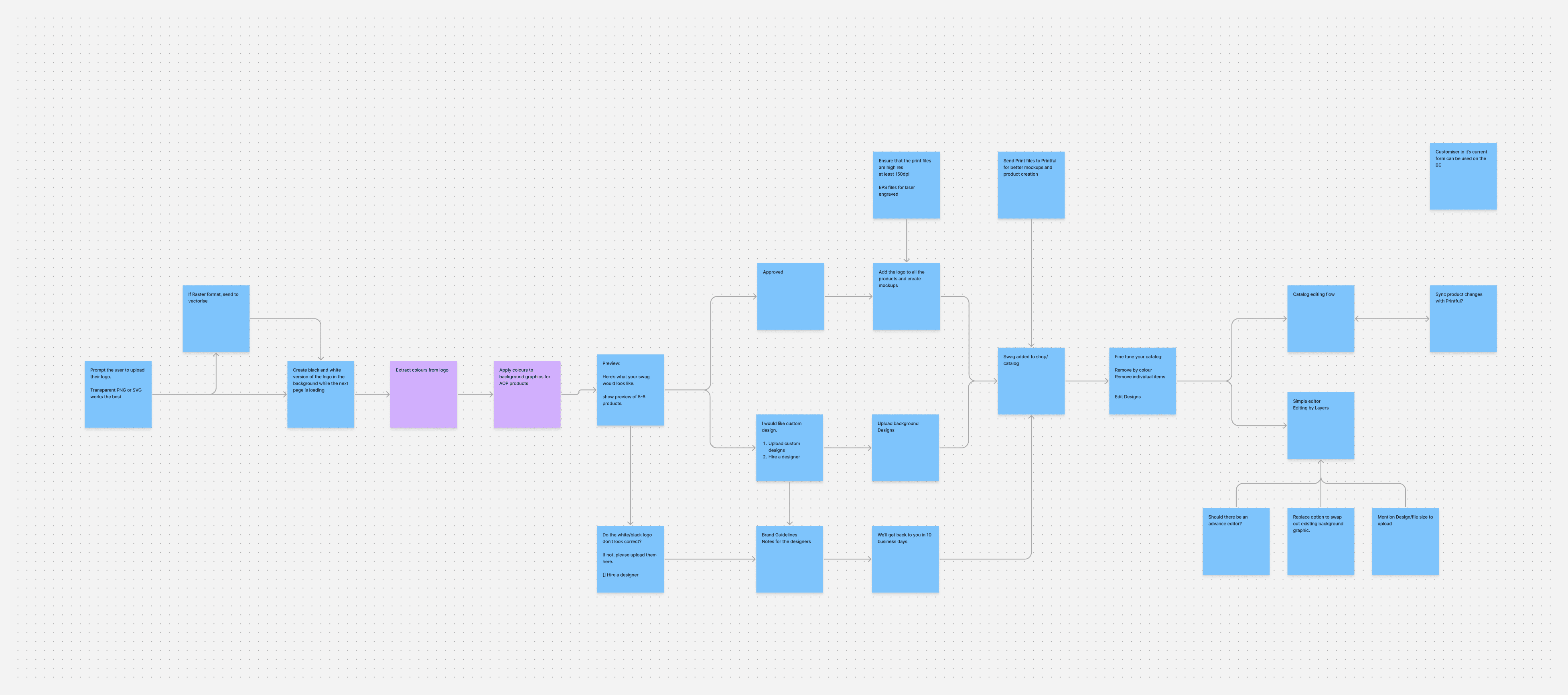
I conducted a competitive analysis of existing personalization tools and mapped the "Logo Lifecycle", from raw user upload to production-ready assets. This research identified that the primary cause of manual rework was the poor technical quality of user-uploaded files (raster vs. vector).
B. Facilitating Stakeholder Alignment
When the engineering team identified that full vectorization automation was not technically feasible within the immediate roadmap, I facilitated workshops with the CEO and lead developers. I proposed a "Minimum Viable Content" (MVC) solution: using instructional design and real-time validation to "nudge" users toward higher-quality inputs, thereby reducing the need for automated correction.
Key Content Design & Information Architecture
The customizer’s success relied on a 50/50 split between interaction design and content clarity.
A. Progressive Disclosure
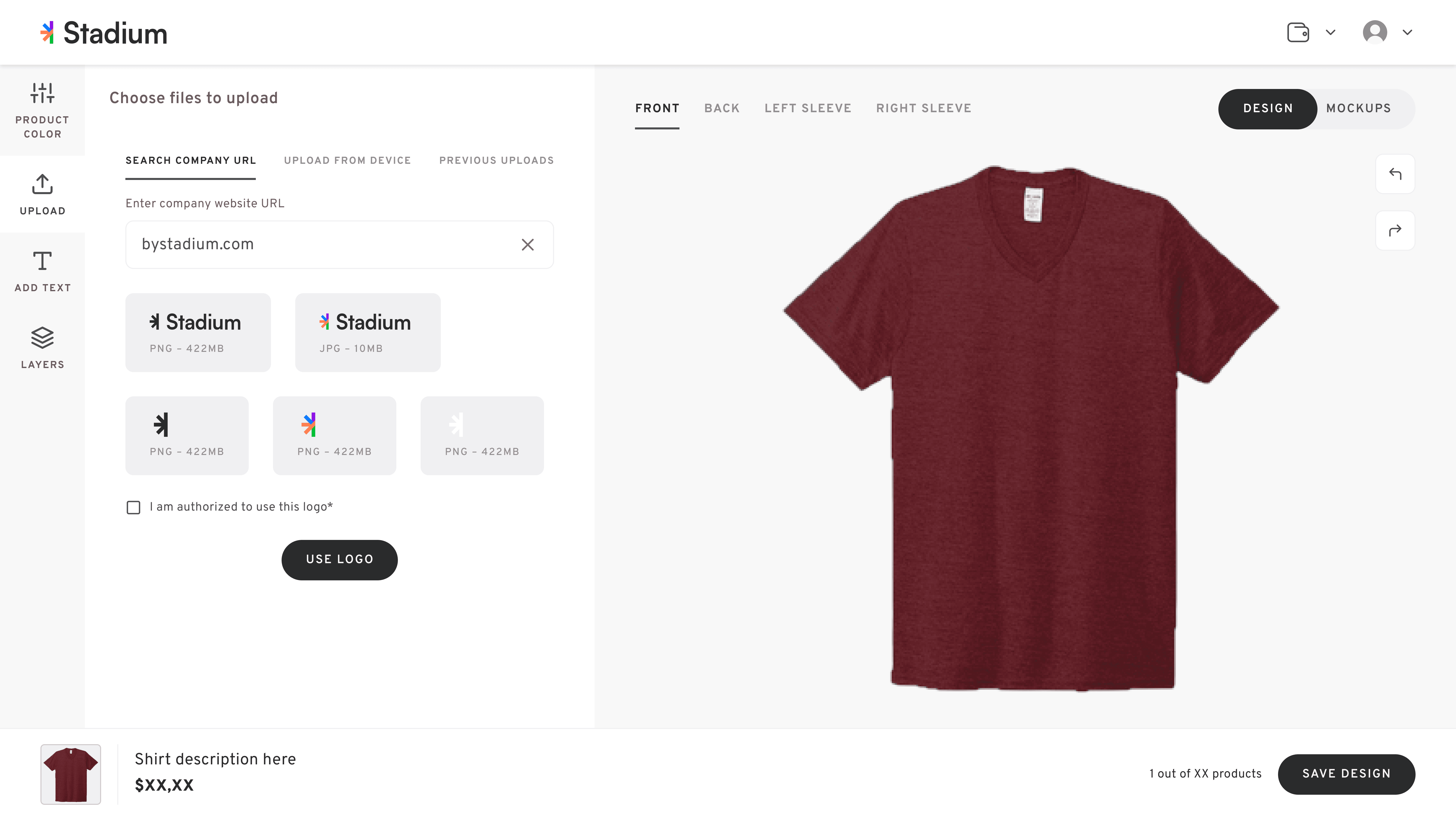
To prevent cognitive overload, I architected the UI around the principle of progressive disclosure. Complex color-matching and placement settings were hidden until the user successfully completed a valid logo upload and authorization check.
B. Standardized Taxonomy
Working with our copywriter, I established a "Single Source of Truth" for the platform's voice. We standardized action-oriented language to ensure consistency:
"Use Logo" vs. "Apply": Chosen to reinforce the user's mental model of a reusable brand library.
"Print Area" vs. "Canvas": Used industry-standard terminology to set clear expectations for the physical final product.
C. Legal & Compliance Integration
For high-risk authorization (branding rights), I replaced dense "Legal-ese" with a plain-language checkbox: "I am authorized to use this logo." This maintained legal compliance while ensuring the user journey remained frictionless.
Key Content Design & Information Architecture
I designed real-time feedback mechanisms to handle technical errors at the point of entry.
A. Dynamic DPI Tooltip (Real-Time Validation)
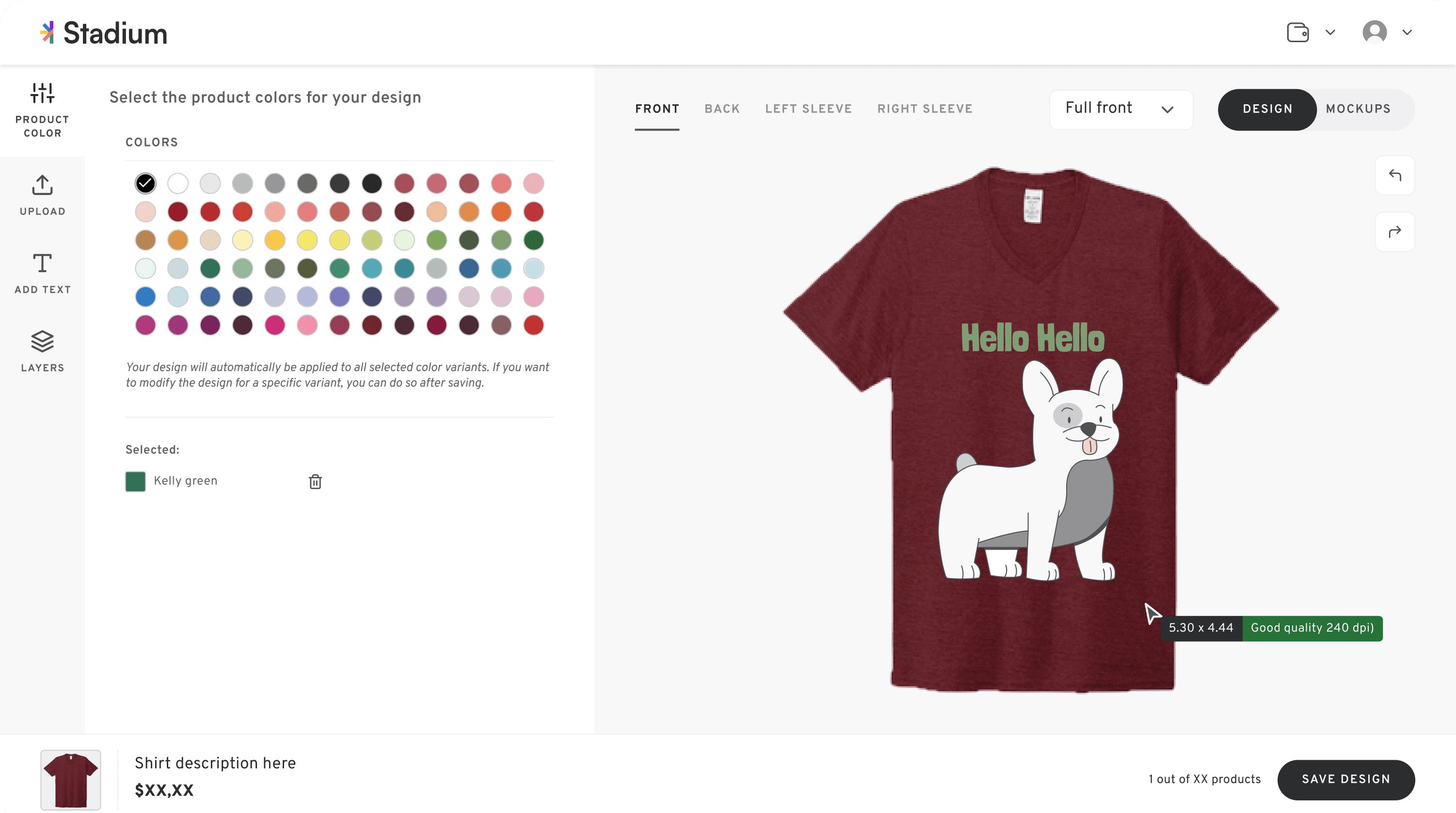
I designed a cursor-bound tooltip that updated in real-time as users scaled their logos. This utilized a multi-modal feedback system:
High Quality (300 - 120 DPI): Green indicator; signaled production-ready.
Okay Quality (119 - 75 DPI): Yellow indicator; triggered a "Nudge" to upload a vector (.svg/.ai) file.
Low Quality (< 75 DPI): Red indicator; signaled high risk of production failure.
B. AODA & Accessibility Compliance
As an Accessibility Specialist, I ensured this feedback was not dependent on color alone. The tooltip explicitly displayed the quality label and numerical DPI value, ensuring that users with color-vision deficiencies or those using screen readers received the same level of guidance.
C. Contextual Validation
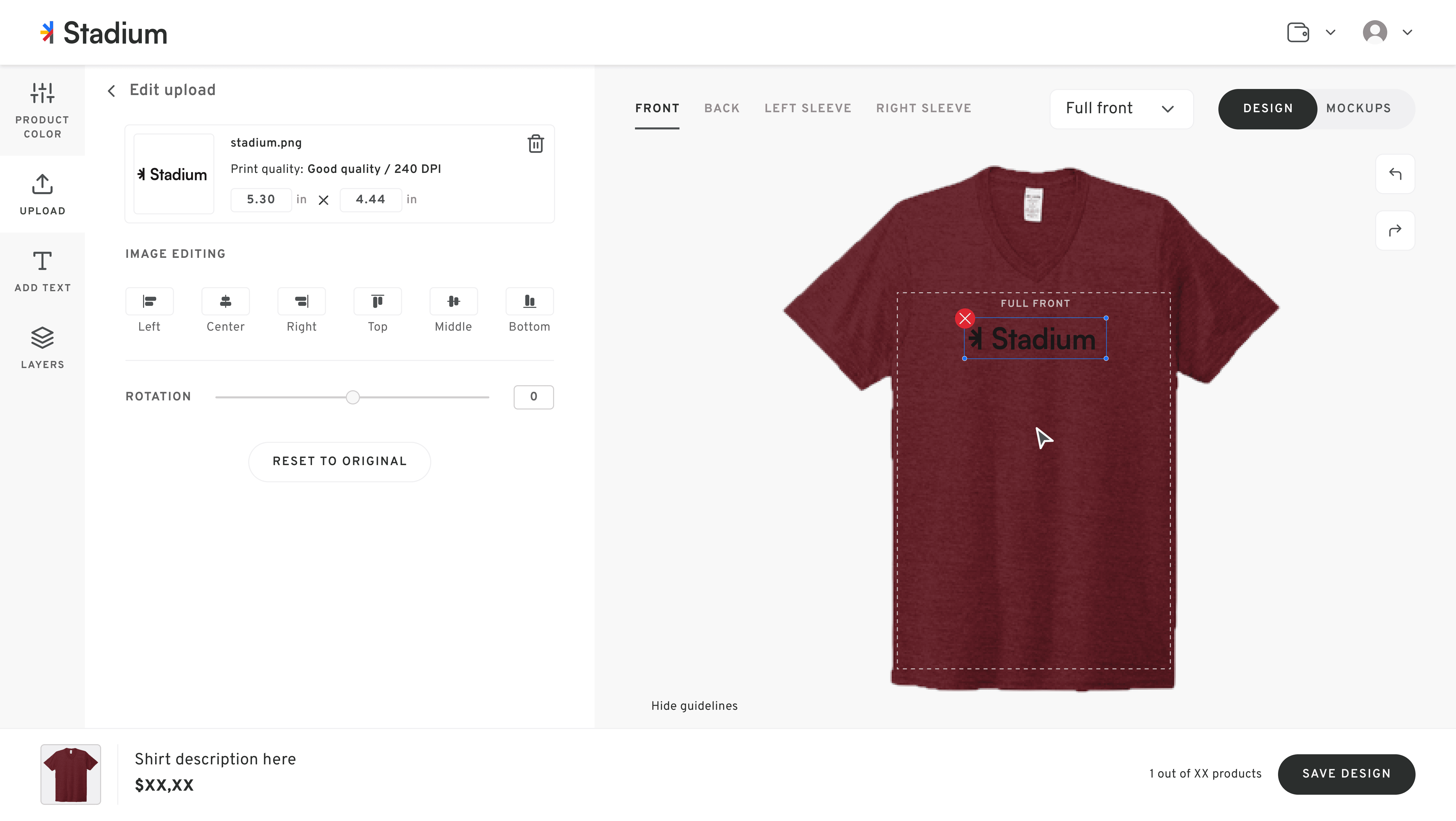
I designed specific error states for "Print Area" breaches. Rather than a generic "Invalid" message, the system provided supportive, instructional copy: "It looks like some parts of your design go beyond the print area. Let’s make sure everything fits perfectly!"